Offline Activation
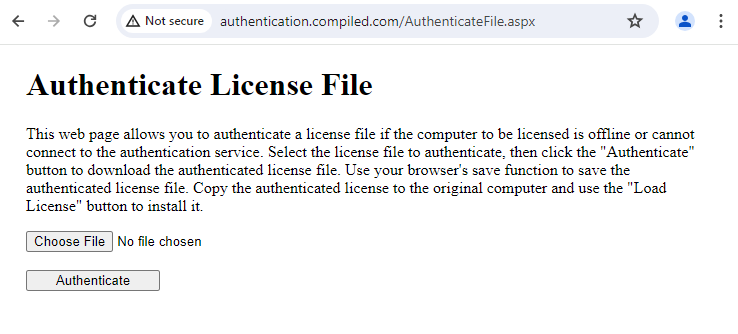
The Authenticate License File web page enables you to authenticate a license file if the computer to be licensed is offline or cannot connect to the authentication service.
To activate the license file offline
- Navigate to https://authentication.compiled.com/AuthenticateFile.aspx
- Click Choose File and select the license file to authenticate.
- Click Authenticate to download the authenticated license file.
- Save the authenticated license file and copy it to the offline computer.
- Open ReadySuite on the offline computer. (As the computer does not have a license, the License Manager opens by default.)
- On the License Manger menu bar, click Register > Install Serial.
- On the Install ReadySuite Licenses dialog box, click the Load License and use the Load License from File to navigate to the authenticated license file.
- Click Install.